> For the complete documentation index, see [llms.txt](https://docs.efento.io/llms.txt). Markdown versions of documentation pages are available by appending `.md` to page URLs; this page is available as [Markdown](https://docs.efento.io/efento-ble-loggers/using-loggers/special-settings-by-sensor-type/pulse-counters.md).
# Pulse counters
This section covers the general configuration parameters for pulse-based loggers. The settings define how pulses are interpreted, filtered, and converted into final measurement values, ensuring accurate counting and reliable operation across different pulse-generating devices.
## Manual calibration
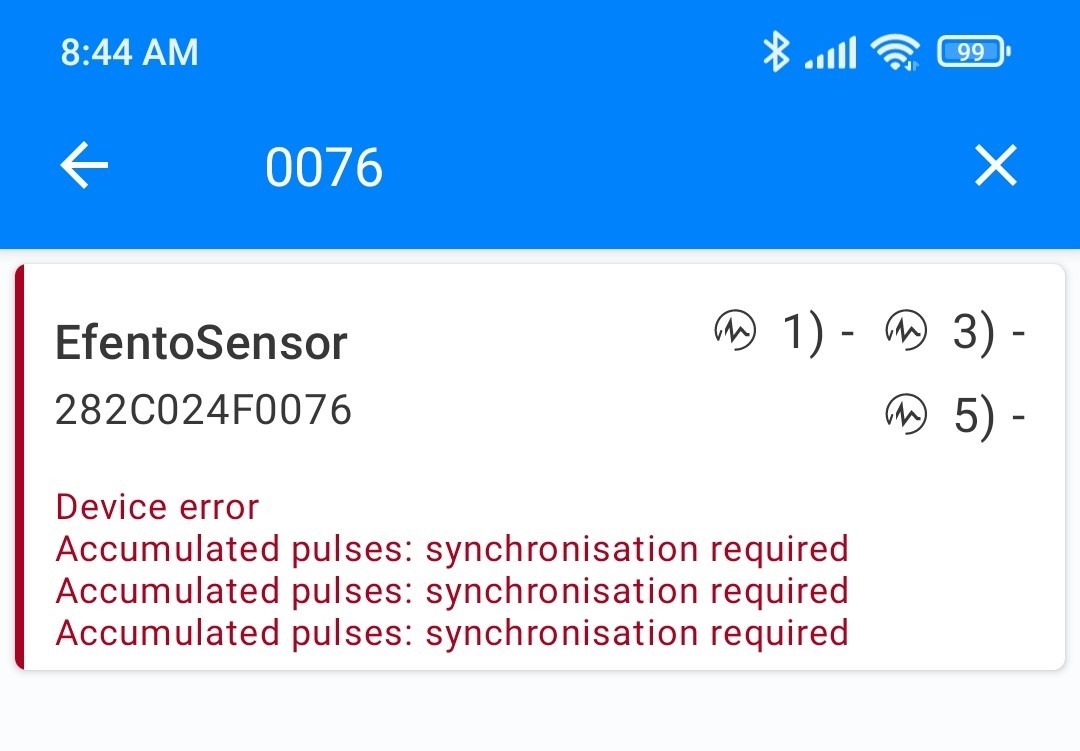
When the pulse counter is activated for the first time, the Efento application will display a message indicating that all channels must be synchronized (i.e., their starting points must be set).
To set the starting point, connect to the device and navigate to:\
**Advanced → Calibration → Manual calibration → Select channel → Set starting point**.
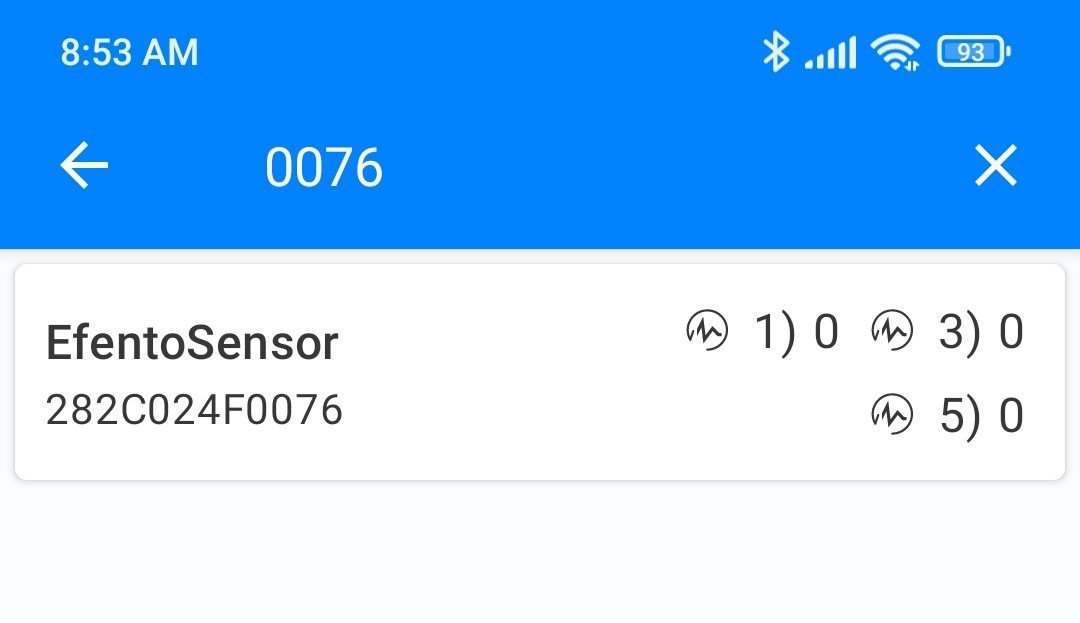
If the device includes multiple measurement channels, make sure to set the starting point for each one. After completing the calibration, wait for one full measurement period (5 minutes by default). The sensor will begin recording data from the configured starting point, and the calibration notification will disappear.
## Calibration parameters
In addition to manual calibration, pulse counters includes extra calibration parameters that allow users to fine-tune their operation and adapt it to their specific requirements.
| Conversion Ratio | Defines the relationship between the number of pulses and the final result value. | 0.000001 to 65,535: Each pulse adds this number to the result. |
| ----------------- | ------------------------------------------------------------------------------------------------------------------------------------------------------------------------------------ | ------------------------------------------------------------------------------------------------------------------------------------ |
| Pulse Timeout | The maximum allowed length (duration) of a single pulse, in milliseconds. |
0: Max pulse length is not checked.
1 to 65,535: Max pulse length in milliseconds (must be greater than Debounce Time).
|
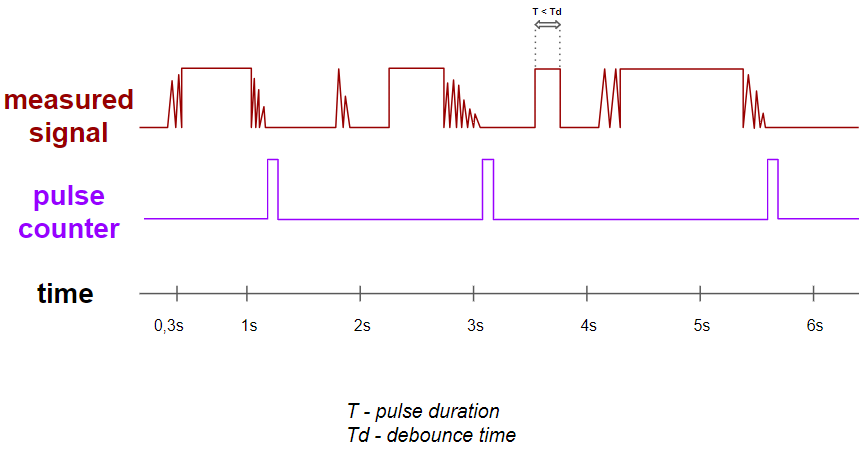
| Debounce Time | State changes shorter than this time (in milliseconds) are ignored. Prevents counting electrical 'noise'. |
0: Debounce time is not used.
1 to 65,535: Debounce time in milliseconds (must be lower than Pulse Timeout).
|
| Logic Type | Defines the electrical logic for counting pulses. **Normal logic** - change from low to high state (NO) = 1 pulse, **Reversed logic** - change from high to low state (NC) = 1 pulse | Normal logic, Reversed logic. |
| Accumulation mode | Determines if the counter resets after each measurement period. | 0: Resets counter after each period. 1: Continues to count up (accumulates) after each period. |
## Notes on pulse counter settings - **Debounce Time**
This parameter helps prevent false pulse counting caused by electrical interference from nearby machinery or long cable connections between the pulse counter and the meter. It also mitigates errors caused by contact bouncing. The debounce time defines a period during which additional pulses are ignored after a state change on the pulse input. For example, if the debounce time is set to **300 ms**, the sensor will ignore any further pulses within 300 milliseconds after detecting a change.
## Notes on pulse counter settings - Logic type
For pulse counter applications, we recommend using **normal logic (NO – Normally Open)**. This configuration minimizes power consumption and ensures optimal battery life.
Using **reversed logic (NC – Normally Closed)** requires the input to remain continuously active, which results in increased power consumption and reduced battery lifetime. For battery-powered devices, this impact can be significant.
For this reason, NC logic should only be used when it is strictly required by the application or the device is powered with an external power supply.
---
# Agent Instructions
This documentation is published with GitBook. GitBook is the documentation platform designed so that both humans and AI agents can read, navigate, and reason over technical content effectively. Learn more at gitbook.com.
## Querying This Documentation
If you need additional information that is not directly available in this page, you can query the documentation dynamically by asking a question.
Perform an HTTP GET request on the current page URL with the `ask` query parameter, and the optional `goal` query parameter:
```
GET https://docs.efento.io/efento-ble-loggers/using-loggers/special-settings-by-sensor-type/pulse-counters.md?ask=&goal=
```
`ask` is the immediate question: it should be specific, self-contained, and written in natural language.
`goal` is optional and describes the broader end goal you are ultimately trying to accomplish on behalf of the user. GitBook uses it to tailor the answer towards what is most useful for that goal.
The response will contain a direct answer to the question and relevant excerpts and sources from the documentation.
Use this mechanism when the answer is not explicitly present in the current page, you need clarification or additional context, or you want to retrieve related documentation sections.