> For the complete documentation index, see [llms.txt](https://docs.efento.io/llms.txt). Markdown versions of documentation pages are available by appending `.md` to page URLs; this page is available as [Markdown](https://docs.efento.io/efento-ble-loggers/installation/powering-on-the-loggers.md).
# Powering on the loggers
## IP30 enclosure
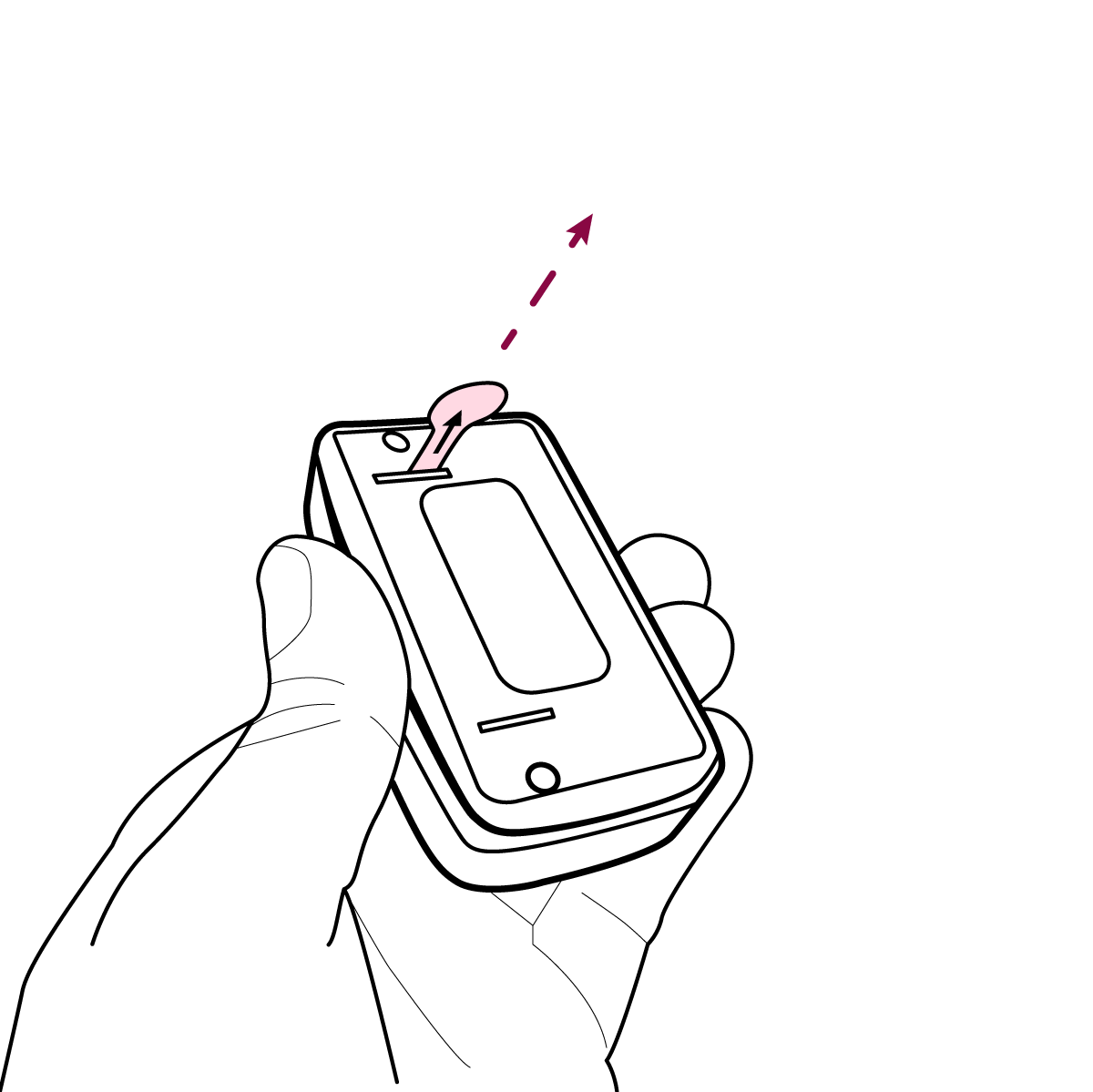
To power on an Efento BLE logger in an IP30 enclosure, simply remove the battery-isolating foil that prevents the battery from making contact with the holder. The foil protrudes from the back of the device, so there is no need to open the enclosure.
{% hint style="info" %}
If you ordered a logger with a calibration certificate, the battery-isolating foil was removed by the laboratory during the calibration process. This means the device is already powered on and operating.
{% endhint %}
## IP67 enclosure
IP67 logger provide waterproof and dustproof protection. Because the enclosure is fully sealed, extra care is required when opening and closing the device to maintain its environmental rating.
{% stepper %}
{% step %}
### Open the enclosure
Using a cruciform screwdriver (PZ1 / PH1), remove all screws from the enclosure.
{% endstep %}
{% step %}
### Remove the battery-isolating foil
Take out the battery-isolating foil that prevents the battery from making contact with the holder.
{% endstep %}
{% step %}
### Close the enclosure
Align the cover so the gasket sits evenly. Close the enclosure and reinstall all screws.
{% hint style="danger" %}
**Ensure every screw is tightened securely** -loose screws may allow water to enter the enclosure and damage the internal electronics.
{% endhint %}
{% endstep %}
{% endstepper %}
---
# Agent Instructions
This documentation is published with GitBook. GitBook is the documentation platform designed so that both humans and AI agents can read, navigate, and reason over technical content effectively. Learn more at gitbook.com.
## Querying This Documentation
If you need additional information that is not directly available in this page, you can query the documentation dynamically by asking a question.
Perform an HTTP GET request on the current page URL with the `ask` query parameter, and the optional `goal` query parameter:
```
GET https://docs.efento.io/efento-ble-loggers/installation/powering-on-the-loggers.md?ask=&goal=
```
`ask` is the immediate question: it should be specific, self-contained, and written in natural language.
`goal` is optional and describes the broader end goal you are ultimately trying to accomplish on behalf of the user. GitBook uses it to tailor the answer towards what is most useful for that goal.
The response will contain a direct answer to the question and relevant excerpts and sources from the documentation.
Use this mechanism when the answer is not explicitly present in the current page, you need clarification or additional context, or you want to retrieve related documentation sections.